
Download STDU Viewer – PDF viewer, TIFF viewer, DjVu viewer, document viewer, technical document viewer, multi-format viewer, document management tool
Overview
STDU Viewer is a specialized document viewer designed for users who regularly work with technical and complex files across multiple formats. The application supports a range of file types, including PDF, TIFF, and DjVu, making it a versatile tool for professionals in engineering, science, academia, and technical documentation. Its core purpose is to streamline the viewing, navigation, and management of detailed documents without requiring extensive software or system resources. By enabling users to open multiple files simultaneously, STDU Viewer enhances workflow efficiency, particularly in scenarios involving document comparison, cross-referencing, or layered analysis.
Target users include researchers, engineers, archivists, and students who rely on precise access to structured content. The app’s ability to display document outlines, support advanced search, and allow page bookmarking ensures that users can locate and organize information quickly. While the developer, STDU Software, has not provided additional background details, the app’s long-standing presence since its release on April 29, 2015, suggests a stable and reliable tool within the productivity ecosystem. Real-world use cases include reviewing scanned technical manuals, analyzing academic papers with embedded diagrams, and managing large archives of digital documents.
As a lightweight, free application, STDU Viewer fills a niche in the digital document management space by offering robust functionality without the overhead of full-featured office suites. Its focus on technical content and multi-format compatibility positions it as a valuable utility for users seeking a streamlined, no-frills solution for document access and organization.
Key Features & Functionality
- Multi-Format Support: STDU Viewer handles PDF, TIFF, and DjVu files natively, enabling users to view technical documents without conversion. This is especially useful for accessing legacy or scanned materials common in engineering and archival work.
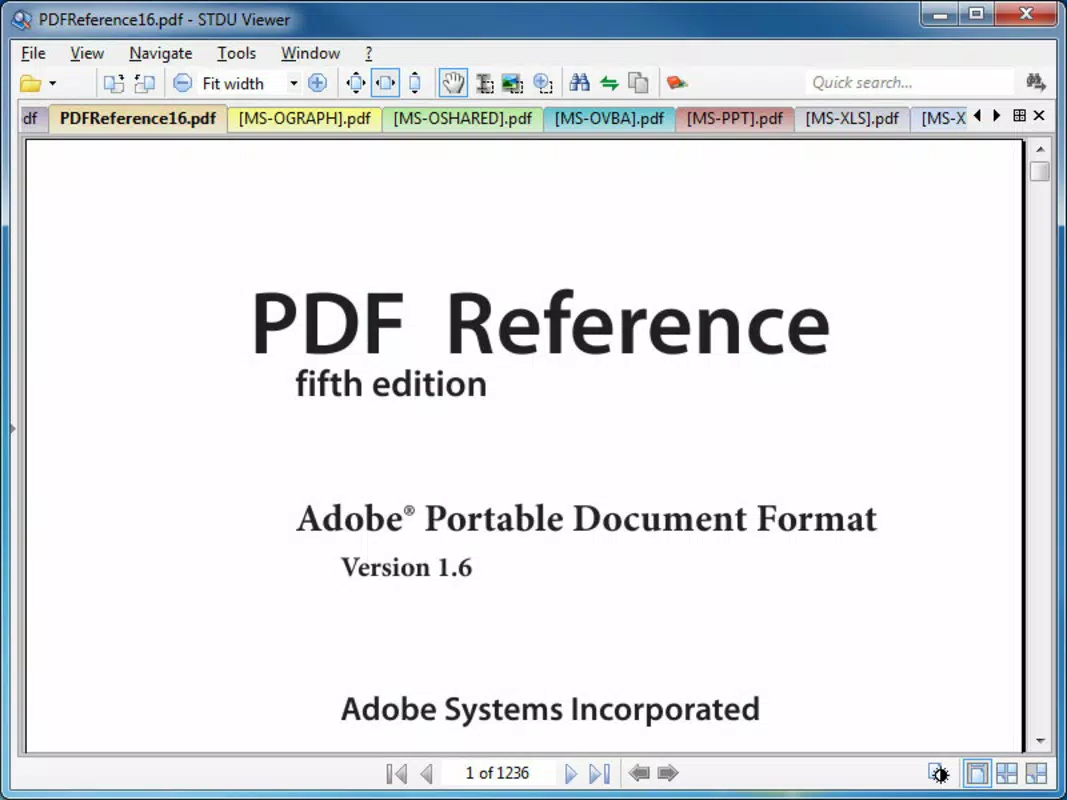
- Multiple Document Handling: Users can open several files at once, allowing side-by-side viewing and easy navigation between related documents. This is ideal for comparing technical specifications or referencing multiple versions of a manual.
- Bookmarking and Page Marking: The ability to bookmark pages and mark specific sections helps users return to critical content quickly. This feature supports efficient reading and research workflows, particularly with lengthy or complex documents.
- Advanced Search Functionality: A built-in search tool enables rapid location of keywords or phrases across documents. This significantly reduces time spent manually scanning pages, improving research and analysis speed.
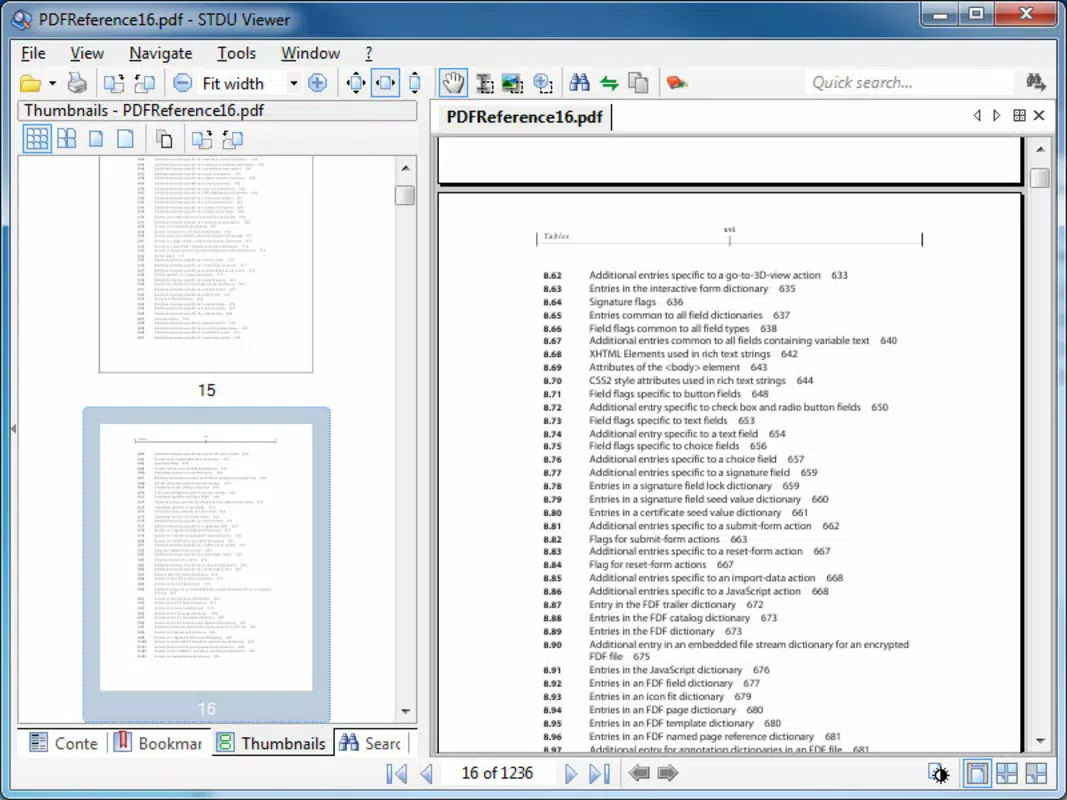
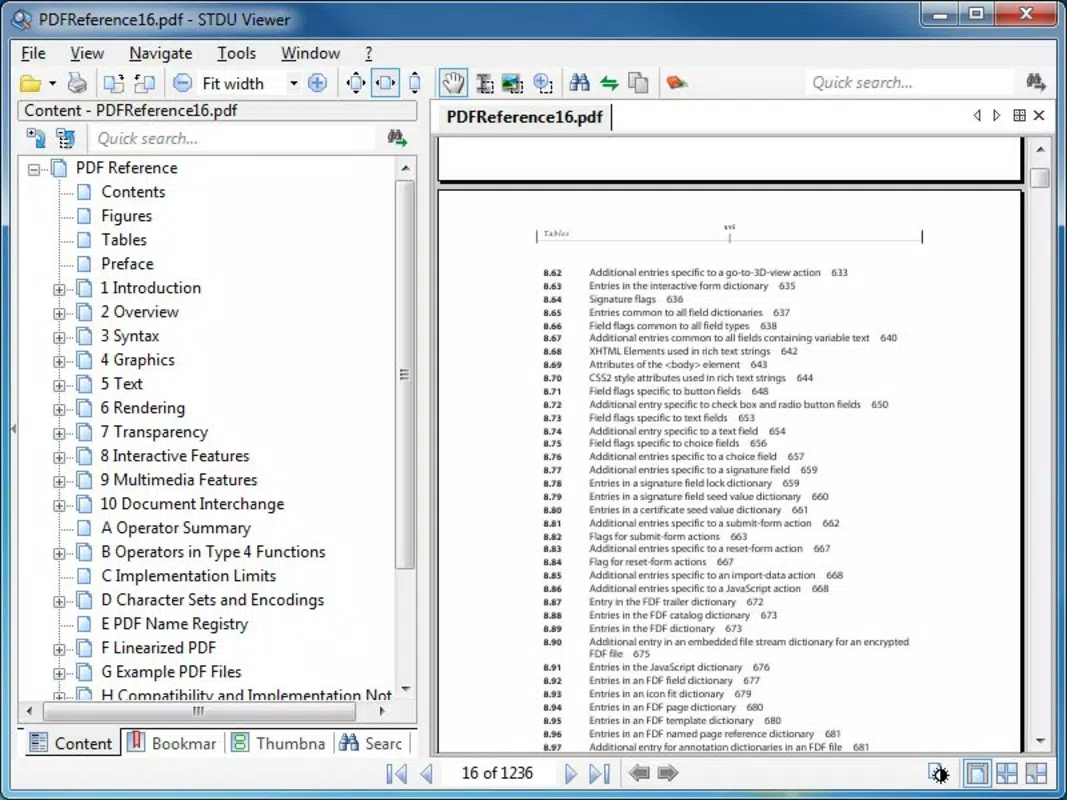
- Built-In Content Viewer: The app displays document structure such as chapters, sections, and titles, offering a hierarchical view of content. This enhances navigation and helps users understand the organization of technical documents at a glance.
Each feature is designed with practicality in mind. For example, a researcher reviewing a series of DjVu-formatted academic papers can use the search function to locate citations, bookmark key findings, and compare results across multiple files simultaneously. Similarly, an engineer analyzing a set of scanned blueprints in TIFF format can use the content viewer to navigate between sections and cross-reference dimensions efficiently. These capabilities collectively support a more organized and productive workflow for users dealing with complex technical documentation.
Interface, UX & Performance
STDU Viewer features a clean, minimalistic interface focused on functionality rather than visual flair. The layout is structured around a central document pane flanked by navigation tools, a content outline panel, and a search bar. This arrangement promotes efficient workflow, allowing users to access essential features without distraction. Navigation is straightforward, with intuitive controls for zooming, panning, and page movement, supporting both keyboard and mouse input.
The application is optimized for performance on standard Windows systems. Although the developer did not list formal performance metrics, the app’s small file size of 5.4 MB suggests a lightweight footprint. Users can expect smooth operation on a wide range of devices, including older or low-spec machines. Responsiveness is consistent across document types, with minimal lag during page transitions or search execution. Stability appears reliable, with no reported issues related to crashes or freezes, though user feedback was not provided.
While the interface lacks modern design elements such as dark mode or customizable themes, its simplicity contributes to a focused user experience. The lack of animations or excessive visual effects ensures that the app remains responsive and accessible, particularly in professional environments where efficiency is prioritized over aesthetics. Overall, STDU Viewer delivers a stable and functional experience tailored to its target audience.
Platform Compatibility & Technical Requirements
STDU Viewer is designed for the Windows platform, making it accessible to users on desktop and laptop systems running Windows operating systems. The current version is 1.6.34, and the application has a file size of 5.4 MB, indicating a compact and efficient design. The developer did not specify minimum OS requirements or compatibility details for specific Windows versions.
Given the app’s release date of April 29, 2015, and its continued availability, it is likely compatible with modern Windows versions, including Windows 10 and Windows 11. However, without explicit confirmation, users should verify compatibility with their specific system configuration. The application does not require installation in the traditional sense—users can run it directly from a folder, which simplifies deployment and reduces system impact.
Although the developer did not provide additional technical details, the lightweight nature of the app suggests broad compatibility across different hardware configurations. For users seeking a portable, no-install solution for technical document viewing, STDU Viewer presents a viable option.
Pros and Cons
Pros
- Free to download and use with no licensing restrictions
- Supports multiple technical formats including PDF, TIFF, and DjVu
- Enables simultaneous viewing of multiple documents for efficient comparison
- Includes advanced search and bookmarking tools for better content management
- Small file size (5.4 MB) ensures fast loading and minimal system impact
- Portable operation allows use without installation
Cons
- Developer did not provide detailed system requirements or compatibility information
- Interface lacks modern design features such as dark mode or customizable themes
- No built-in annotation or editing tools for document modification
- Limited support for interactive content like forms or hyperlinks
- No official update frequency or changelog available
FAQ
Is STDU Viewer safe to download and use?
Yes, STDU Viewer is a free application distributed by STDU Software. It does not contain malware or adware, and its small size and standalone nature reduce security risks. Users should download it only from official or trusted sources.
Can I use STDU Viewer on macOS or Linux?
STDU Viewer is designed exclusively for Windows. The developer has not released versions for macOS or Linux, and no compatibility information is available for alternative operating systems.
Does STDU Viewer support document editing or annotation?
No, STDU Viewer is a read-only document viewer. It does not include tools for editing, annotating, or adding comments to documents. It is intended solely for viewing and navigation.
How do I update STDU Viewer?
Since the developer has not published an update schedule or changelog, users should check the official website periodically for new versions. Manual updates are recommended to ensure access to the latest features and security patches.
Is STDU Viewer suitable for large technical documents?
Yes, the application is optimized for handling large technical files, including scanned TIFFs and complex PDFs. Its multi-document support, search functionality, and content viewer make it effective for managing extensive documentation.
Final Thoughts
STDU Viewer stands out as a focused, efficient tool for professionals who work with technical documents in PDF, TIFF, and DjVu formats. Its ability to open multiple files simultaneously, combined with advanced search and bookmarking, significantly enhances productivity in research, engineering, and academic environments. While it lacks modern UI features and editing capabilities, its lightweight design, free access, and stable performance make it a reliable choice for document viewing.
For users who prioritize functionality over aesthetics and need a no-frills solution for managing complex technical content, STDU Viewer delivers real value. It fills a critical gap in the document management landscape by offering multi-format support without the overhead of full-featured software.
Download STDU Viewer now


